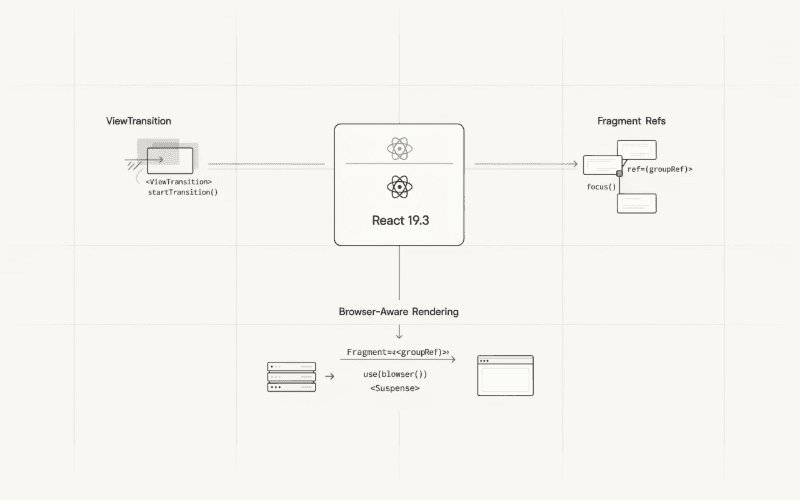
React 19.3 arrived on September 9, 2026. It’s not a major release, but there are a few changes worth looking at, especially if you build interactive interfaces or work with server-side rendering.
The two features that caught my attention are <ViewTransition> and Fragment Refs. Both were available experimentally before this release. Now they’re stable.
There’s also a new browser() API that makes it easier to handle components that depend on browser-only features.
None of these additions will completely change how you write React. They do, however, address problems developers have been solving with extra wrappers, effects, third-party libraries, and various workarounds.
Let’s go through them with some practical examples.
1. ViewTransition: Animating UI Changes with React
Animating an element when it enters or leaves the screen isn’t particularly difficult. CSS can handle simple cases, and libraries like Motion offer more advanced options.
The tricky part comes when animations need to follow React’s rendering process.
Imagine switching between two screens. One component disappears, another appears, and the layout changes along the way. You want that transition to look natural without manually coordinating every animation.
React 19.3 introduces a stable <ViewTransition> component for exactly this kind of situation. It integrates with the browser’s View Transition API and React’s own scheduling system.
A simple example
Let’s build a small panel that appears when a button is clicked.
import {
  useState,
  startTransition,
  ViewTransition,
} from 'react';

export default function DetailsPanel() {
  const [expanded, setExpanded] = useState(false);

  function handlePanelToggle() {
    startTransition(() => {
      setExpanded(previous => !previous);
    });
  }

  return (
    <section>
      <button
        type="button"
        onClick={handlePanelToggle}
        aria-expanded={expanded}
      >
        {expanded ? 'Hide details' : 'Show details'}
      </button>

      {expanded && (
        <ViewTransition>
          <article className="details-panel">
            <h2>Project overview</h2>
            <p>
              Here you can find the latest project updates.
            </p>
          </article>
        </ViewTransition>
      )}
    </section>
  );
}
Notice the startTransition() call.
We aren’t updating state directly. Instead, we’re telling React that this update can be treated as a non-urgent transition.
When the panel enters or leaves the component tree, React can animate the change.
Without startTransition(), a regular urgent state update wouldn’t trigger the same View Transition behavior.
Understanding the animation types
React supports four main types of View Transitions.
| Type | When it happens |
|---|---|
enter | A ViewTransition appears |
exit | A ViewTransition disappears |
update | Its content or styles change |
share | A named ViewTransition moves between locations |
By default, React uses a cross-fade effect. That might be enough for a small interface, but you can customize the animation.
For example, let’s make the panel slide into view.
<ViewTransition
  enter="panel-enter"
  exit="panel-exit"
>
  <article className="details-panel">
    <h2>Account settings</h2>
    <p>Manage your personal preferences.</p>
  </article>
</ViewTransition>
And the CSS:
@keyframes panel-appear {
  from {
    opacity: 0;
    transform: translateY(12px);
  }

  to {
    opacity: 1;
    transform: translateY(0);
  }
}

@keyframes panel-disappear {
  from {
    opacity: 1;
    transform: translateY(0);
  }

  to {
    opacity: 0;
    transform: translateY(-8px);
  }
}

::view-transition-new(.panel-enter) {
  animation: 220ms ease-out both panel-appear;
}

::view-transition-old(.panel-exit) {
  animation: 180ms ease-in both panel-disappear;
}

@media (prefers-reduced-motion: reduce) {
  ::view-transition-new(.panel-enter),
  ::view-transition-old(.panel-exit) {
    animation: none;
  }
}
Here, enter and exit provide View Transition class names. The CSS uses the corresponding browser pseudo-elements to define how the old and new snapshots should animate.
This also gives us control over timing, movement, and reduced-motion preferences.
One thing to remember: View Transitions aren’t a complete replacement for CSS animations or animation libraries. They’re particularly useful when the animation needs to follow a React state transition.
ViewTransition also works with Suspense
Here’s another interesting case.
Suppose part of your interface is loaded asynchronously. While React waits for it, you show a fallback. Once the content becomes available, the fallback disappears.
We can wrap that boundary in <ViewTransition>.
import {
  Suspense,
  lazy,
  ViewTransition,
} from 'react';

const AnalyticsDashboard = lazy(
  () => import('./AnalyticsDashboard.jsx')
);

export default function DashboardSection() {
  return (
    <ViewTransition>
      <Suspense
        fallback={<p>Preparing your dashboard...</p>}
      >
        <AnalyticsDashboard />
      </Suspense>
    </ViewTransition>
  );
}
React can animate the transition from the fallback to the resolved content.
The important distinction is that you usually want the loading indicator to appear immediately. Delaying a fallback just to make it animate may leave users wondering whether anything is happening.
Animating the reveal of the finished content is often the better choice.
For applications with lazy-loaded screens or Suspense-based data loading, this is a useful connection between rendering and animation.
2. Fragment Refs: Working with Multiple DOM Elements
Fragments have been part of React for years. They let components return multiple elements without inserting another node into the DOM.
Consider this component:
function ProductHighlights() {
  return (
    <>
      <h2>Featured products</h2>
      <p>Explore our latest collection.</p>
      <button type="button">Browse products</button>
    </>
  );
}
Nothing unusual here.
But what happens if we need to manage these elements as a group?
Maybe we want to observe when they become visible, handle events, or move keyboard focus between them.
Previously, one common solution was to add a wrapper element.
import { useRef } from 'react';

function ProductHighlights() {
  const containerElement = useRef(null);

  return (
    <div ref={containerElement}>
      <h2>Featured products</h2>
      <p>Explore our latest collection.</p>
      <button type="button">Browse products</button>
    </div>
  );
}
This works, but the extra <div> isn’t always harmless.
It can affect CSS selectors, grid and flex layouts, or the document structure. Sometimes the wrapper exists only because we need a ref, not because it makes sense semantically.
React 19.3 offers another option.
Attaching a ref directly to Fragment
You can now use a ref with an explicit <Fragment>.
import {
  Fragment,
  useEffect,
  useRef,
} from 'react';

export default function QuickActions() {
  const actionsGroup = useRef(null);

  useEffect(() => {
    actionsGroup.current?.focus();
  }, []);

  return (
    <Fragment ref={actionsGroup}>
      <button type="button">Create project</button>
      <button type="button">Import files</button>
      <button type="button">Open settings</button>
    </Fragment>
  );
}
There’s no additional DOM container.
Instead, the ref points to a FragmentInstance, an object that provides methods for interacting with the DOM elements inside the Fragment.
In this example, focus() attempts to focus the first suitable element in the group.
The important detail is that a Fragment ref isn’t a normal HTMLElement reference. It exposes a specific set of methods rather than the entire DOM element API.
What can FragmentInstance do?
Some of the available methods include:
| Method | Purpose |
|---|---|
focus() | Focus the first focusable descendant |
focusLast() | Focus the last focusable descendant |
blur() | Remove focus from focused descendants |
addEventListener() | Attach event listeners to first-level DOM children |
removeEventListener() | Remove those listeners |
observeUsing() | Connect an IntersectionObserver or ResizeObserver |
unobserveUsing() | Stop observing the Fragment’s elements |
getClientRects() | Read layout rectangles |
scrollIntoView() | Scroll the Fragment’s content into view |
These methods make Fragment refs especially interesting for reusable UI components.
A practical example: observing a group of elements
Let’s build a component that reports whether any of its children are visible in the viewport.
We’ll call it VisibilityGroup.
import {
  Fragment,
  useEffect,
  useRef,
} from 'react';

export default function VisibilityGroup({
  children,
  onVisibilityChange,
}) {
  const contentGroup = useRef(null);
  const visibilityCallback = useRef(onVisibilityChange);

  useEffect(() => {
    visibilityCallback.current = onVisibilityChange;
  }, [onVisibilityChange]);

  useEffect(() => {
    const group = contentGroup.current;
    if (!group) return;

    const visibleTargets = new Set();

    const viewportObserver = new IntersectionObserver(
      records => {
        for (const record of records) {
          if (record.isIntersecting) {
            visibleTargets.add(record.target);
          } else {
            visibleTargets.delete(record.target);
          }
        }

        visibilityCallback.current?.(
          visibleTargets.size > 0
        );
      },
      { threshold: 0.1 }
    );

    group.observeUsing(viewportObserver);

    return () => {
      group.unobserveUsing(viewportObserver);
      viewportObserver.disconnect();
    };
  }, []);

  return (
    <Fragment ref={contentGroup}>
      {children}
    </Fragment>
  );
}
Now we can use it with several independent elements.
import { useState } from 'react';
import VisibilityGroup from './VisibilityGroup.jsx';

export default function FeatureGallery() {
  const [sectionVisible, setSectionVisible] = useState(false);

  return (
    <main>
      <p>
        Gallery status:
        {sectionVisible ? ' Visible' : ' Outside viewport'}
      </p>

      <VisibilityGroup
        onVisibilityChange={setSectionVisible}
      >
        <article>Performance improvements</article>
        <article>New developer tools</article>
        <article>Better accessibility</article>
      </VisibilityGroup>
    </main>
  );
}
The observer watches the DOM elements represented by the Fragment. When at least one observed target intersects the viewport, the callback receives true.
The Set matters here. Without it, a callback could incorrectly report that the whole group is hidden when one element leaves the viewport while another remains visible.
We also clean up the observer when the component unmounts.
No wrapper element is required, and the consumer doesn’t need to know how the Fragment’s children are structured.
There are limitations, of course. Fragment refs don’t replace every DOM ref, and you still need to think about focus management, event propagation, and accessibility.
But for component libraries, navigation groups, and custom UI primitives, this is a genuinely useful addition.
3. browser(): A Cleaner Boundary Between Server and Client
Server-side rendering has one recurring problem: not every piece of UI makes sense outside the browser.
A component might depend on localStorage, the user’s timezone, or another browser-specific API.
Take this example:
function LocalPreferences() {
  const savedTheme = localStorage.getItem('theme');

  return (
    <p>Preferred theme: {savedTheme ?? 'system'}</p>
  );
}
This works in a browser.
On the server, however, localStorage isn’t available. Rendering the component there would throw an error.
Developers have traditionally handled this with effects and an additional state variable.
import { useEffect, useState } from 'react';

function LocalPreferences() {
  const [preferredTheme, setPreferredTheme] = useState(null);

  useEffect(() => {
    const storedPreference = localStorage.getItem('theme');
    setPreferredTheme(storedPreference ?? 'system');
  }, []);

  if (preferredTheme === null) {
    return <p>Loading preferences...</p>;
  }

  return <p>Preferred theme: {preferredTheme}</p>;
}
There’s nothing inherently wrong with this pattern.
It avoids accessing browser APIs during server rendering, and the initial client render can match the HTML produced by the server.
But it also introduces an effect and additional state just to wait for the browser.
React 19.3 provides a more explicit alternative through browser().
Using browser() with Suspense
Here’s the same idea using the new API.
import { Suspense, use } from 'react';
import { browser } from 'react-dom';

function StoredThemePreference() {
  use(browser('Theme preference requires localStorage.'));

  const selectedTheme =
    localStorage.getItem('theme') ?? 'system';

  return (
    <p>Preferred theme: {selectedTheme}</p>
  );
}

export default function PreferencesPage() {
  return (
    <section>
      <h2>Appearance</h2>

      <Suspense fallback={<p>Loading preferences...</p>}>
        <StoredThemePreference />
      </Suspense>
    </section>
  );
}
The behavior is straightforward.
During server rendering, use(browser()) suspends the component. React renders the nearest Suspense fallback instead.
In the browser, the call doesn’t suspend, so the component can access localStorage and continue rendering.
This means we no longer need a separate mounted flag for this particular case.
There are two important requirements:
- The component must be inside a
<Suspense>boundary during server rendering. use(browser())must run in a Client Component, not a React Server Component.
If you’re using a framework where Server Components are the default, you may need a 'use client' directive.
Also, browser() doesn’t make all browser-dependent code automatically safe. It marks a rendering boundary. You still need to handle unavailable storage, permissions, and other runtime errors appropriately.
Another example: displaying the user’s timezone
A user’s timezone is a good example of data that may differ between the server and browser.
We can write a small component that reads the browser’s local timezone.
import { Suspense, use } from 'react';
import { browser } from 'react-dom';

function DeviceTimezone() {
  use(browser('Timezone must be read from the device.'));

  const detectedZone =
    new Intl.DateTimeFormat()
      .resolvedOptions()
      .timeZone;

  return <strong>{detectedZone}</strong>;
}

export default function RegionalSettings() {
  return (
    <section>
      <h2>Regional settings</h2>

      <p>
        Your timezone:{' '}
        <Suspense fallback={<span>Detecting...</span>}>
          <DeviceTimezone />
        </Suspense>
      </p>
    </section>
  );
}
One subtle point is worth mentioning.
Intl.DateTimeFormat() is available in modern server-side JavaScript environments, including Node.js. The issue isn’t that the API only exists in browsers.
The problem is that the server’s timezone may be different from the user’s timezone.
If you render the server’s value and then immediately replace it with the browser’s value, you risk a hydration mismatch.
Using browser() avoids rendering the device-specific value on the server in the first place.
For small pieces of browser-dependent UI, this makes the intent much clearer.
4. What About Server Components?
React 19.3 isn’t limited to client-side improvements.
The release also includes changes related to React Server Components, including support for context in server-rendered component trees.
This is a different concern from browser().
Server Components execute on the server, while browser() is used by Client Components to opt out of server rendering when necessary.
That distinction matters because the two APIs solve opposite problems.
One helps organize work on the server. The other identifies UI that should wait until the browser is available.
React continues to refine both sides of this architecture rather than treating server rendering as an afterthought.
The release also includes Trusted Types support and other improvements beyond the three features covered here. For the full list, see the official React 19.3 release notes.
5. Do You Still Need Animation Libraries and DOM Wrappers?
Yes, sometimes.
It’s tempting to see a new built-in API and immediately start replacing existing solutions. I wouldn’t rush into that.
<ViewTransition> is a good fit for animations tied to React rendering updates. It doesn’t replace every use case for Motion, GSAP, or CSS keyframes.
Fragment refs remove the need for certain wrapper elements, but they aren’t a reason to stop using semantic HTML containers. If your elements form a meaningful section, list, or navigation region, that structure still belongs in the document.
And browser() shouldn’t become a shortcut for rendering half your application exclusively on the client.
Server rendering remains useful. It can deliver meaningful HTML before JavaScript finishes loading, and that’s something worth preserving.
The better approach is to use these features where they actually simplify the component.
Final Thoughts
What makes React 19.3 interesting isn’t the number of new APIs.
It’s the kind of problems those APIs address.
View Transitions connect animation more closely to React’s rendering process. Fragment Refs let us work with groups of DOM elements without introducing unnecessary containers. And browser() gives us a clearer way to handle components that can’t produce meaningful output on the server.
None of this means we need to rewrite existing applications.
For a simple React project, you might not use any of these features immediately. But if you’re building a component library, working with Suspense, or maintaining an SSR application, they’re worth understanding.
I particularly like Fragment Refs. It’s a relatively small change, yet it solves an awkward problem that has existed in React for a long time.
React 19.3 feels like a release focused less on introducing new concepts and more on making existing development patterns easier to work with.
And that’s often what makes a minor release useful.